
Introduction
Welcome to the Tech Report for February 2025. I have a number of Cybersecurity issues to discuss from the past few months as well as some general information relating to technology to share. As always, I hope there is something useful you find out of this report. If you have any questions let me know.
Cybersecurity
PowerSchool Breach
As you are all aware, PowerSchool was hacked at the end of December and information on students and staff was stolen all across the United States and Canada. This is obviously a big deal and emphasizes the need for people to use caution when dealing with passwords and emails. PowerSchool contracted with Experian to provide identity theft protection and credit monitoring for staff and students. Emails should be going out shortly from Experian to parents and staff. If you did not receive an email from Experian, you can sign up by following the link in the below communication:
We are writing to update you regarding the recent cybersecurity incident involving PowerSchool, the software vendor that provides our Student Information System (SIS).
Today, January 29, 2025, PowerSchool initiated the process of notifying individuals whose information was determined to be involved.
As previously mentioned, PowerSchool has engaged Experian, a trusted credit reporting agency, to provide complimentary identity protection and credit monitoring services to current and former students and educators that had information exfiltrated from PowerSchool SIS. PowerSchool is doing this regardless of whether an individual’s Social Security Number was exfiltrated. In the coming weeks, Experian (on behalf of PowerSchool) will be distributing direct email notifications to involved individuals for whom PowerSchool has sufficient contact information.
Additionally, PowerSchool has worked with Experian to set up a dedicated, toll-free call center to answer any questions associated with these offerings and the incident. All the information regarding the activation of and access to these services will be included in the email sent to you by Experian. Whether or not you receive an email, you may also visit PowerSchool’s website to learn how to activate the offering from Experian, linked here: http://www.powerschool.com/security/sis-incident/notice-of-united-states-data-breach/.
Protecting our students and teachers remains our top priority. Thank you again for all of your support and understanding during this time.
On our end, we are ensuring that Social Security Numbers are not stored in PowerSchool. This used to be necessary for state reports and for college transcripts; however, they are no longer needed and we are going to take them out.
If you have any further questions, please don’t hesitate to reach out.
2-Step Verification
After the PowerSchool breach, I began assessing how we could further protect ourselves from similar situations at HAST. While we do have good systems in place and monthly training, one thing we have been more lax on has been enforcement of 2-step verification. Several years ago I required all staff to use 2-step verification; however, newer staff were not forced to set this up. As of February 1, all staff have been forced to utilize 2-step verification as an additional step to protect their Google accounts from being accessed by outside threats.
Holiday Scam Email
The final Cybersecurity related topic involves a scam email that was going around right before Holiday break. A fake email was sent pretending to be Dr. Snedden.
From: Hammond Academy of Science & Technology School <[email protected]>
Date: Tue, Dec 17, 2024 at 8:56?AM
Subject:
To: <[email protected]>Hello, please could you drop a contact to text you on, Thank you.
Deborah Snedden
School Principal
Hammond Academy of Science & Technology School
33 Muenich Ct.,
Hammond, IN 46320
When staff members responded to the email, the scammer asked them to purchase gift cards for the staff. We had several members fall for this and even one staff member actually purchase $600 in gift cards.
This all should have been avoided had staff used their training to recognize the scam. The email address was not from Dr. Snedden. Her title was not Dr. Snedden or School leader, but rather “School Principal.” Additionally, she would never ask staff to purchase gift cards. Please remember your training when dealing with any email. As what happened with PowerSchool, all it takes is one person to get compromised for someone to get access to things they shouldn’t and to steal information and demand a ransom.
Tech Team
One of my goals this year has been to revive the HAST Tech Team. Starting in March, one member from each department will participate as a member in the Tech Team. Here is some information about the Tech Team and how it will be utilized:
Purpose:
The Technology Team at Hammond Academy of Science and Technology plays a vital role in enhancing the educational environment by ensuring effective use of technology. This involves supporting the integration of STEM standards, leveraging AI tools, contributing to professional development, and addressing technological policy needs
Members:
Technology Director, technology coach, and one member from each Department, selected by the Department Head.
Expectations:
Stem Integration Support:
- Encourage and support innovative teaching methods that incorporate technology into STEM subjects.
- Assist teachers with developing and aligning resources to STEM integration standards.
AI Utilization
- Assist with the creation of school wide AI Policies.
- Model proper use of AI in the classroom and assist teachers with implementing.
Professional Development
- Workshop Facilitation: Occasionally lead or assist in technology-focused professional development workshops.
- Skill Enhancement: Help educators improve their technology skills to better integrate digital tools into their teaching practices.
Benefits
- Technology PD and conferences.
- Help your co-workers to become better teachers.
- Stipend for any out of contract work (ie. summer meeting).
- Not a huge time commitment.
This is NOT a Technology Support position or expected to be one. The purpose is to help teachers within your department with Technology Integration and to be a resource to them.
Classroom Management
As second semester began, I have received a number of emails from teachers and staff requesting assistance with managing iPads in their classrooms. I wanted to share a few things that may be helpful:
- Walk around the classroom. If students know you are mobile, they are less likely to try and do something they shouldn’t be doing on their devices. In order to be effective at managing your classroom, you must be moving around the room often. Sitting behind your desk or at the front of the room invites students to not be on task.
- Establish clear expectations for iPad usage. If students are not supposed to be using their iPads, they should have the iPad down with the screen covered. If you establish this norm, students will know when it is acceptable to use the iPad and when they shouldn’t be on it. This can cut down on behavioral issues.
- Hold students accountable for not doing the right thing. If a student is playing a game instead of their class work, write them up. Be consistent. The expectations should be clear and the consequences should also be clear.
- Use Apple Classroom to watch students. We have done several short PD sessions on Apple Classroom. This tool is not perfect, but has it’s use in the classroom. When students are supposed to be working independently on something on the iPad, use Apple Classroom to monitor them. I always advise teachers use their Apple TV and project their Apple Classroom to the front board so students can see they are being watched. Students will stay on task and even hold each other accountable.
These are just some tips that can be helpful to managing misbehavior when it comes to iPads in the classroom. The answer is not to block things or to restrict things. The answer is to manage your classroom effectively and efficiently. If we have special circumstances where a student is still not doing what they are supposed to be doing, but you are managing your classroom effectively and everyone else is doing what they should be, then we can look at restrictions on specific student iPads.
The Role of AI in the Classroom and Policy Development
One of the most discussed topics this year has been the integration of artificial intelligence (AI) in educational settings. A key responsibility of the Technology Team will be to develop a comprehensive, school-wide AI policy and to model appropriate AI usage. When used ethically and responsibly, AI can serve as a valuable tool in the classroom. Rather than imposing strict limitations or prohibiting students from using AI, the focus should be on guiding them toward its appropriate use. This principle will be central to our AI policy.
In the meantime, there have been numerous inquiries regarding students using AI to generate written assignments. Some educators have employed AI detection tools to determine whether a submission was created with AI assistance. While these tools can provide some insights, they are not entirely reliable and should not be the sole method for assessing whether AI was used to complete an assignment.
Another important consideration is the extent to which AI has been used in a given assignment. Should a student who utilizes AI to draft only a portion of their work be treated the same as one who submits an entirely AI-generated assignment? For instance, if a student uses AI to generate an introductory paragraph but fails to meaningfully revise it in their own words, yet writes the remainder of the paper independently, should this result in a failing grade? AI can serve as a helpful resource in the writing process, assisting students with idea generation, proofreading, and initial structuring. It is essential to shift the focus toward leveraging these instances as learning opportunities rather than defaulting to punitive measures. That said, if a student submits an AI-generated paper with no original thought or contribution, appropriate academic consequences should follow.
Additionally, one way to assess whether AI has been used is to review the version history in Google Docs. A naturally written paper will show a progression of edits with logical timestamps, whereas an AI-generated submission may appear as complete paragraphs or an entire document appearing instantaneously with minimal revision history.
By fostering a balanced approach to AI in the classroom, we can ensure that students develop critical thinking and ethical decision-making skills while effectively utilizing emerging technologies.
iPad Cases
I am starting to see the number of iPad case replacement requests increase again. I want to remind all students and staff of the proper way to care for the iPad case. The only way the keyboard stops functioning is if the ribbon that connects the keyboard to the case is ripped. This happens when students put the keyboard flap behind the iPad or pick up the iPad by the keyboard allowing the weight of the iPad to stretch the ribbon.
Students should not bend their keyboard part of the case behind the iPad. When only using the iPad and not the keyboard, the keyboard should be laid out in front of the iPad.
Keyboard behind case = broken keyboard
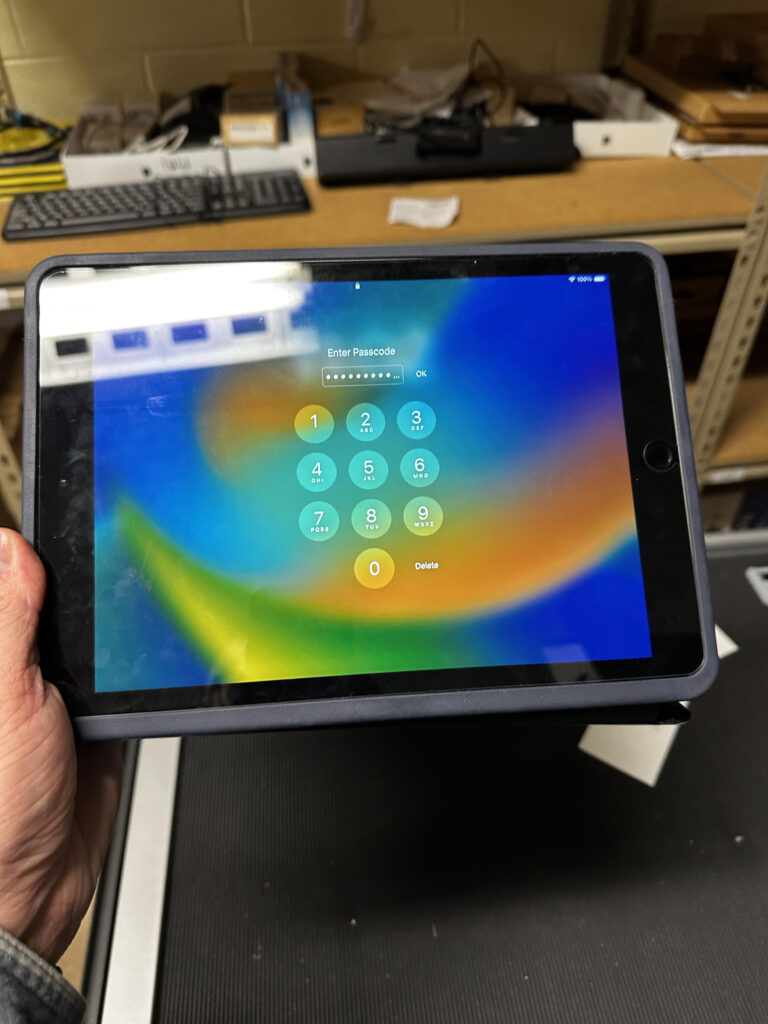
Keyboard in front of case = working keyboard

Since Logitech has a hard time keeping these keyboard cases in stock, it has been impossible to keep up with replacing every keyboard that goes bad. I will replace them in bunches as I get them in. Teachers should not encourage students to fill out support tickets for cases not functioning correctly and should encourage proper care of their keyboard cases.
Support Ticket Breakdown

Lost iPads

Broken iPads

Reminders
- Follow procedures for lost iPads, broken iPads, and support tickets. I have had a number of staff email me instead of using the support ticket portal. I have directed all to the portal. Also, do not send students to my office. I am not always there and if I am in the middle of something, they will be sent right back and told to have you fill out a support ticket.
- Screen protectors, replacement chargers, and deductible payments can be purchased from the Technology store on our website. This is located under the quick links.
- All staff should stay up to date on their Infosec training.