
Please email Doug Kman with any PowerSchool related issues or concerns such as Password resets.

- To access PowerSchool. Highlight either Parents or Students from the main menu, then click PowerSchool.

- Enter your username and password to login.
- If you need to create an account for the first time, click Create Account. You will need account information from the main office. Click here for account creation directions.
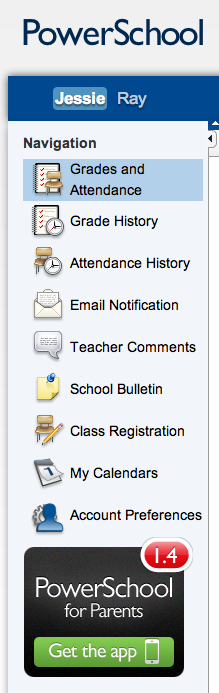
- Once you have logged in, you can select between your students at the top left corner.
- Grades and Attendance shows both grades and attendance for your students at a glance. Click blue hyperlinks for more information about a grade.
- Grade History display previous grades from this year.
- Attendance History displays attendance for the current term.
- Email Notification allows you to setup automatic e-mails to be sent to you.
- HAST does not currently use Teacher Comments or School Bulletin.
- Class Registration will be used to request courses for the upcoming term (High School only).
- My Calendars will let you subscribe to homework calendars as teachers enter assignments.
- Account Preferences will let you update your account information or add additional students.
- Download the PowerSchool for Parents App for the same information on you iOS device.